

Magic Dancing Tiles review
 Analysis by GetAllApps
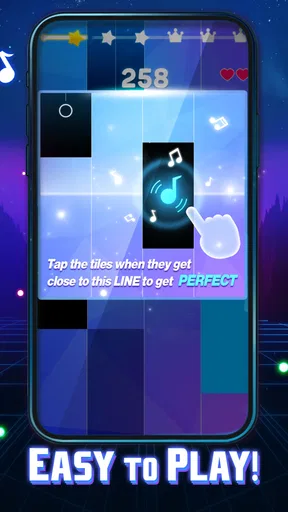
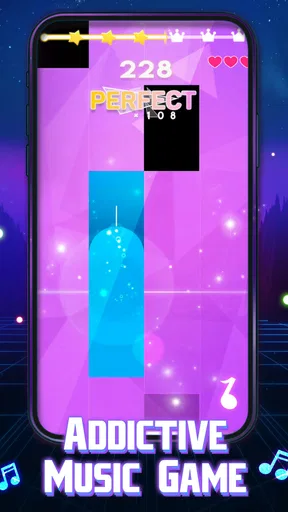
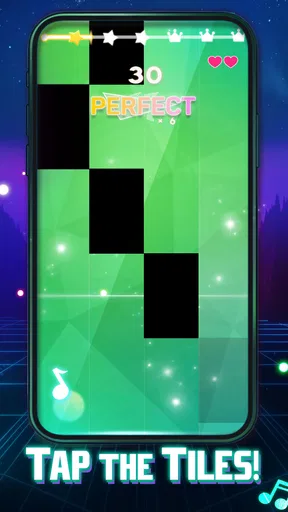
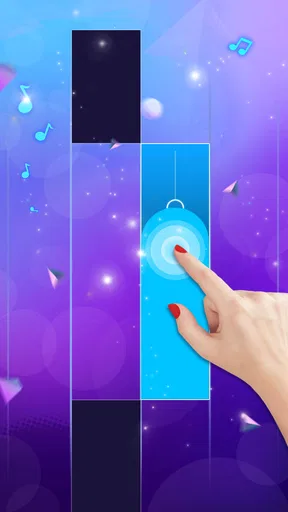
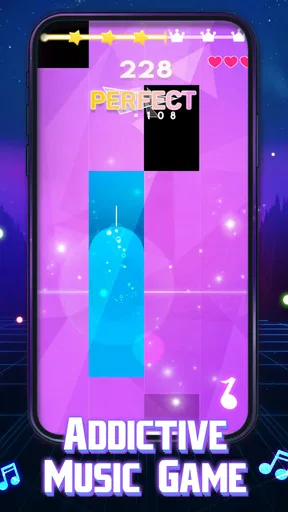
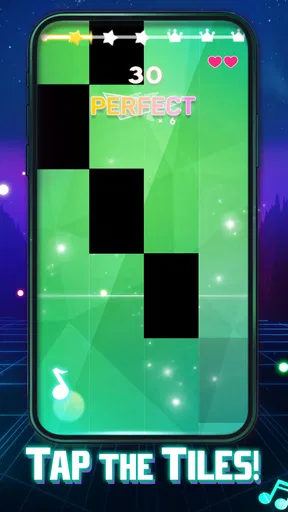
I’d reach for Magic Dancing Tiles when I want a quick music-game challenge rather than a full rhythm-game session. Its appeal is easy to understand: follow the beat, tap the piano-style tiles, and try to keep your timing steady as the music moves along. That simple premise makes it approachable, but it also puts the focus squarely on execution. If you enjoy rhythm games because a small improvement in accuracy feels satisfying, this one has a clear reason to keep playing.
PHY STUDIO’s free game sits in the music category and is rated Mature 17+, so it is worth checking that age guidance before handing it to a younger player. It has an average rating of 4.8 from around 50,000 ratings, and has passed 50 million installs. Those figures suggest a broad audience, though they do not tell you whether its particular style will suit your taste. For me, the key question is whether you want a direct, tap-focused test of rhythm or a more elaborate music game built around exploration and progression.
Small goals make the first session easy to understand
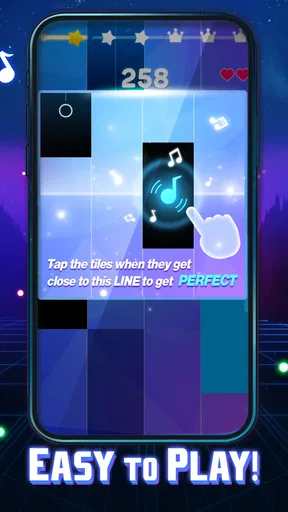
The basic goal is immediate: match your taps to the rhythm and avoid losing the flow. That gives a new player something useful to concentrate on without needing to learn a complicated control scheme first. I like that clarity for short breaks, when I may only have a few minutes and do not want to spend that time navigating menus or studying instructions.
That simplicity has a trade-off. A clear central action is not the same as a deep set of objectives. Players who need a story, a collection to complete, or a long chain of explicitly explained milestones may find the basic rhythm challenge too narrow. I would approach it as a game to practise and replay, not as an adventure that promises a large world to uncover.
One practical way to start is to play with the sound on and treat the beat as your guide rather than relying only on the visual movement. That can help you settle into a consistent rhythm instead of reacting late to each tile. If you are new to this style, begin by aiming for steady taps; chasing speed before your timing feels comfortable can turn a simple challenge into unnecessary frustration.
What progress feels like when the action stays simple
In a tap-based music game, progress is most rewarding when I can tell that my timing has become more reliable. A familiar rhythm gives me a chance to notice whether I am anticipating the beat, drifting behind it, or staying in control. That personal feedback can be satisfying even when the central action remains the same: each replay becomes a small test of concentration and consistency.
I would not assume that every session needs to feel like a major unlock or a dramatic step forward. The useful progress here is the kind a player can feel in their own hands: holding focus longer, recovering after a missed beat, and keeping taps deliberate instead of frantic. If you prefer games that constantly announce new rewards or change their rules, this style may feel modest. Its strength is the repeatable challenge, not a promise of elaborate progression.
A small but useful habit is to stop after a run where concentration starts to slip, rather than repeatedly tapping through tired attempts. Rhythm play depends on attention, and a short reset can make the next try more informative. I find that this also helps separate genuine improvement from simply playing on autopilot: if a replay feels more controlled, you have a clearer sense of what is working.
Challenge and pacing: satisfying when you want to focus
The format naturally suits focused bursts. I can imagine playing while waiting for a ride or taking a brief break, then putting the phone away without needing to remember a complicated sequence of story events. That makes it more convenient than a longer rhythm game when I want a quick test of timing and attention. It also means the experience depends heavily on whether the music and tapping challenge hold my interest from one attempt to the next.
Difficulty in this kind of game is personal as well as mechanical. A player who already enjoys tapping in time may find the basic idea familiar, while someone who struggles to coordinate visual cues and sound may need patience. My advice is to keep your taps relaxed and resist trying to compensate for a missed beat with a burst of hurried inputs. Calm, consistent timing is a better starting point than trying to force a perfect run immediately.
There is a limit to what a simple rhythm loop can offer. If you want a game that teaches musical technique, gives detailed instrument practice, or lets you compose, this is not the role I would expect it to fill. It is entertainment built around tapping along with music, not a substitute for lessons or a music-making tool. For those goals, a dedicated practice or creation app is a better fit.
Where replay value can become pressure
Replay is part of the appeal, but it can also become the main source of pressure. When the goal is to do better on another run, it is easy to keep restarting in pursuit of a cleaner attempt. That works well for players who enjoy self-imposed challenges; it is less appealing if you want every session to introduce a new activity or a different kind of reward.
The game is free to start, with in-app purchases priced from $3.99 to $29.99 per item. I would decide whether to spend only after trying the core tapping experience and knowing that I genuinely want more of it. A purchase is not necessary to establish whether rhythm games suit you, and the listed price range makes it sensible to pause before confirming anything. If you share a device, especially with a younger player, keep the age rating and purchase access in mind.
It is also worth choosing your setting thoughtfully. Music and timing are central to the experience, so playing in a noisy place can make it harder to stay in sync. On the other hand, a quick session in a quiet moment can work well when you want something more active than scrolling but less involved than a long game. That is a realistic use case where the short, direct format is an advantage.
How it compares with other music games
Compared with music games that emphasize instrument simulation, complex note charts, or broad song-management systems, Magic Dancing Tiles comes across as a more immediate tap-and-rhythm choice. That is a benefit if you want to begin playing quickly and judge the experience by your timing. It is a limitation if you want fine control over musical parts or a richer structure around each track.
It also differs from casual games that use music mainly as background decoration. Here, keeping time is the point, so the sound and the tapping action work together. That makes it more engaging than a passive music-themed puzzle for someone who likes coordination challenges, but potentially more demanding than a game where the music is simply there to set a mood. I would choose it for active listening and focused tapping, not for a hands-off way to enjoy songs.
The current version is 0.5.69, and the game was released on October 30, 2023. It supports Android 7.1 and later, which gives many Android users a clear baseline to check before installing. Those details matter more for compatibility than for the feel of play; the deciding factor is still whether a straightforward rhythm challenge is the kind of repeatable activity you enjoy.
Who should try it, and who may be happier elsewhere
I would recommend it to someone who likes quick rhythm tests, wants an uncomplicated way to practise timing, and is comfortable replaying a familiar style of challenge. It can suit casual players who want a brief concentration break as well as rhythm-game fans who enjoy polishing their consistency. The large install base and strong average rating make it an easy candidate to consider, but personal preference matters more than popularity when the gameplay is this focused.
I would skip it if you are looking for a deep campaign, musical instruction, or a game whose enjoyment depends on constant new mechanics. I would also be cautious if repeated attempts make you tense rather than motivated. A slower music game, a conventional puzzle, or a dedicated instrument-learning app could be a better choice depending on whether you want less pressure, more variety, or actual practice.
My verdict on its progression
For me, the strongest reason to play is the clean connection between listening and tapping. The early goal is obvious, the sense of progress can come from improving your own control, and short sessions fit easily into everyday gaps. The main weakness is the same simplicity: players who need a more developed progression structure may run out of reasons to return once the central challenge stops feeling fresh.
I would give Magic Dancing Tiles a try if you want a free music game that gets to its rhythm challenge quickly, while keeping in-app spending and the Mature 17+ rating in mind. Go in expecting focused tapping rather than a long-form journey, and it is easier to judge fairly. If you enjoy the feeling of settling into a beat and trying to hold it, it is a good fit; if you need music games to offer much more than that, another style will likely keep you interested longer.
Pros and cons
Pros
- Simple tap controls are easy to learn.
- Short rounds make it suitable for quick play sessions.
- Rhythm-based gameplay rewards timing and focus.
- A wide song selection can keep repeat sessions fresh.
- Increasing difficulty offers a challenge for experienced players.
Cons
- Fast sections may feel difficult for new players.
- Some songs or content may require in-app purchases.
- Ads can interrupt the flow between rounds.
- Accurate taps may depend on a stable touchscreen response.
- Repeated play can feel similar across songs.


